
Overview
Templates
Embedding Options in Templates
Since Anki does not provide the ability to store data in templates, there are some issues with user preference settings in templates:
- Cannot sync across multiple devices
- Preferences may be lost when restarting Anki on some clients
To resolve these issues, you need to paste the formatted template settings below into the template code. This process involves two steps:
- Open the card template settings in Anki. The method to access this varies by platform, so please refer to the official user documentation.
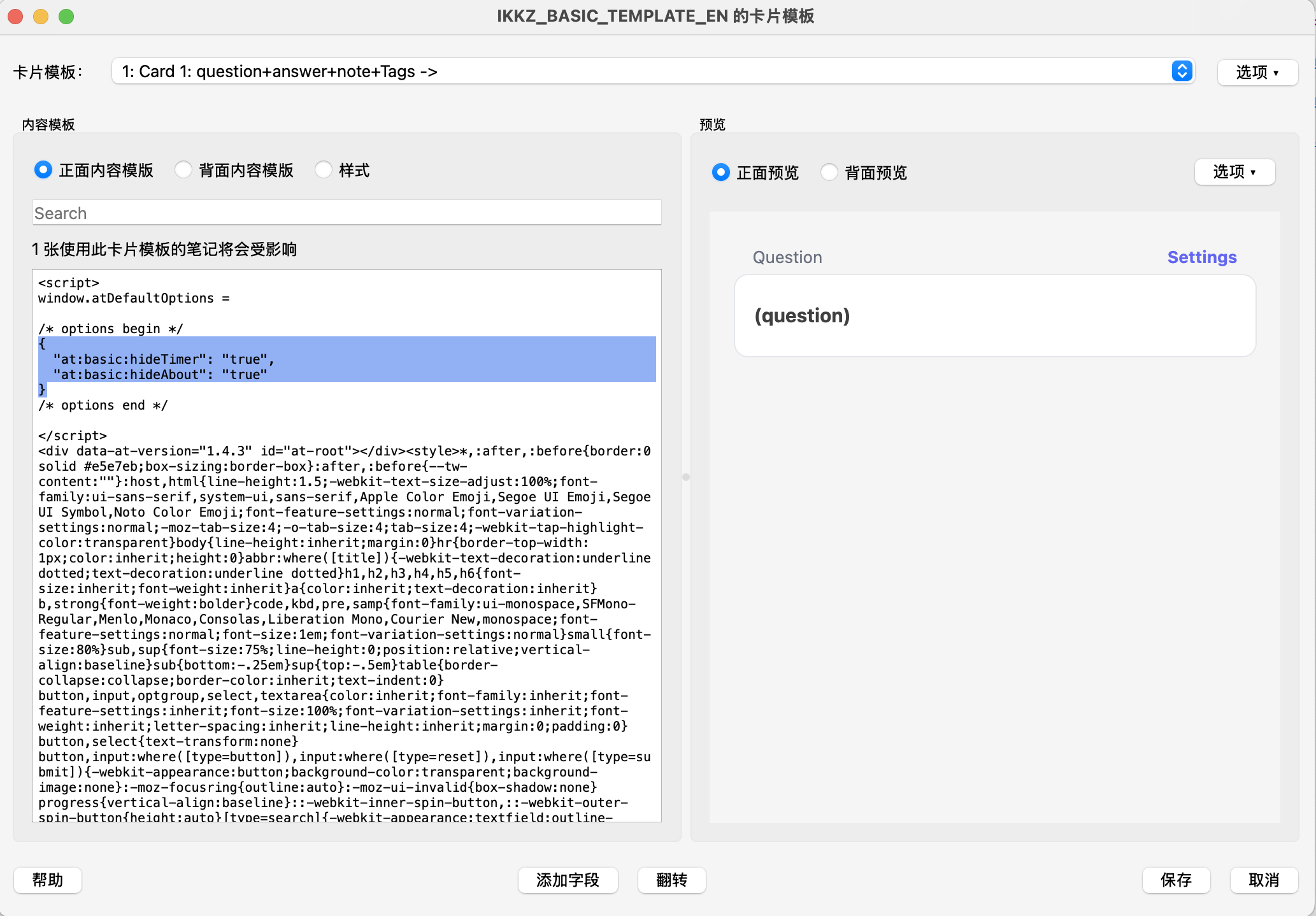
- Find the "Front Template" of this template and paste the formatted template configuration you see on the settings page into the corresponding location. Below is an example image from the Mac version of Anki, other versions may display differently.
Markdown support
Classic Templates 3.0 removes the Markdown variants and the .native suffix from download names. If you need Markdown rendering in a custom card template, use the XMarkdown extension.
Feedback
If you have any questions or suggestions, please submit them on GitHub or discuss at Discord.
If you find it helpful, please consider Sponsoring us or giving it a star 🌟: GitHub